
Are you holding onto a Visa gift card and wondering how to make the most of it? You’re not alone.
Many people find themselves with a gift card balance they’d rather use elsewhere. The good news is, transferring Visa gift card money isn’t as complex as it might seem. Imagine the freedom of using that balance exactly how you want, whether it’s shopping at your favorite local store or paying bills.
In this guide, you’ll discover straightforward steps to unlock the full potential of your gift card. No more restrictions or guessing games—just clear, actionable advice that puts you in control. Ready to take charge and make your gift card work for you? Keep reading to learn how.
What Is A Visa Gift Card?
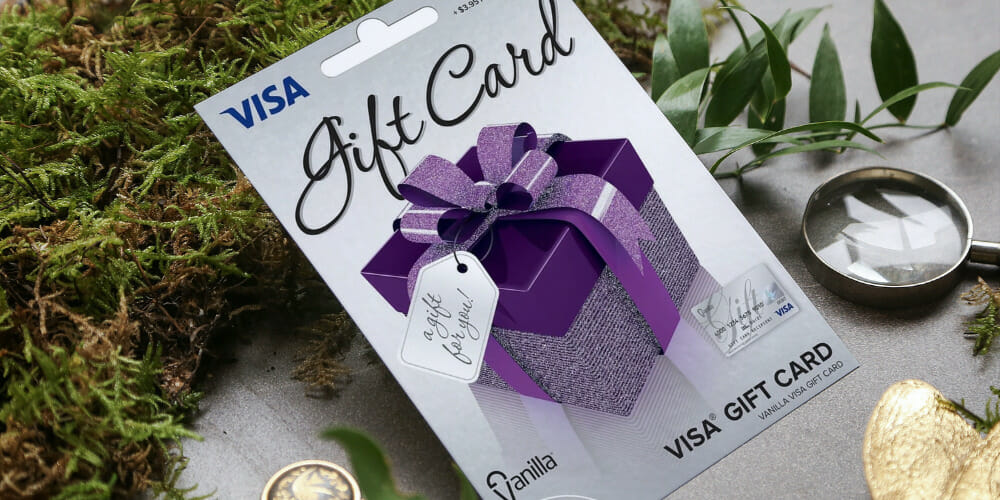
A Visa Gift Card is a prepaid card. It works like cash. People use it for shopping. It is not linked to a bank account. You can buy it with a fixed amount. The card is ready to use after purchase. It makes a great gift option. People can spend it at many stores.
The card is safe and easy to use. It is accepted at most places. The user can buy things online too. The card balance reduces with each use. Keep track of the remaining balance. Check it online or by phone.
Always know the card’s expiry date. Spend it before it expires. The card cannot be reloaded. Once empty, it is no longer useful.
Checking Your Card Balance
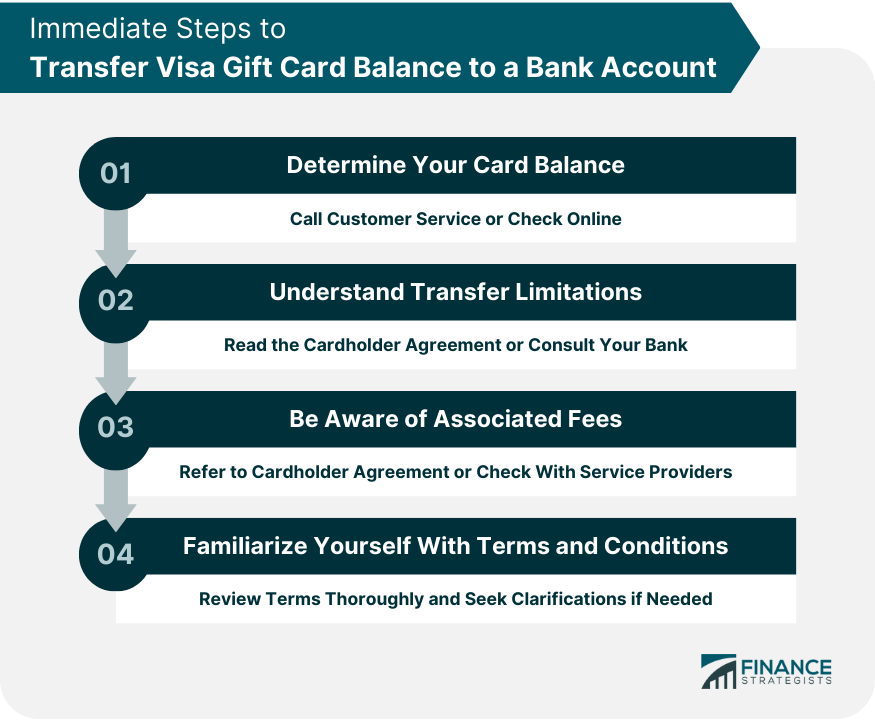
Always check your Visa gift card balance first. It helps you know how much money you have left. Visit the card issuer’s website. Enter your card number and security code. This will show your current balance. You can also call the number on the back of the card. This method is simple and quick. Knowing your balance avoids spending more than you have. Always keep track of your balance. It is wise to check it often. This way, you manage your money better. Keep your card details safe. Never share them with anyone.
Linking To A Payment Platform
Transferring Visa gift card money to a payment platform can streamline your finances. Easily link the card to services like PayPal for quick access. This method provides flexibility and convenience for managing funds online.
Using Paypal
Transfer money from a Visa gift card to PayPal. First, log into your PayPal account. Find the “Wallet” tab. Click “Link a card” and enter card details. Choose “Debit” as the type. Once added, move funds to your PayPal balance. It’s easy and quick.
Using Venmo
Venmo also allows gift card transfers. Open the Venmo app. Tap the “Menu” button. Select “Settings” and then “Payment Methods.” Add your Visa gift card here. Use the card for payments or send money to friends. It’s simple to use.
Using Cash App
Cash App supports Visa gift cards too. Open the app and tap “Banking.” Add the card by entering details. Use it for payments or send money to contacts. It’s straightforward and convenient.
Transfer To Bank Account
You can move money from a Visa gift card to a bank. Check if your bank allows this. Some banks do. Use your online banking app. Enter the gift card details. Follow the steps. It’s important to be careful. Make sure details are correct. Mistakes can cause problems. Transfers can take time. Usually a few days.
Many services can help transfer money. Services like PayPal or Venmo are popular. Create an account with them. Link your Visa gift card. Transfer the money to your bank. Some services may charge a fee. Always check the fees first. Not all services work with all banks. Make sure it supports your bank. This method is fast and easy.
Making Purchases Instead
Use your Visa gift card for online buys. It’s simple and quick. Enter the card number at checkout. Look for a secure site. This means it is safe to use. You can buy anything you need. Clothes, books, and toys. Always check if the site accepts Visa cards. Many sites will accept them.
Go to your favorite store. Bring your Visa gift card. Select items you want to buy. At checkout, give the card to the cashier. Let them swipe it for you. The amount will be taken from your card balance. Keep the receipt for your records. Make sure you know your card balance before shopping.

Common Issues And Solutions
Transferring Visa Gift Card money can be tricky. Common issues include balance checks and bank transfers. Solutions often involve using third-party apps or services that facilitate transferring funds to a bank account, ensuring seamless transactions.
Card Declines
Visa Gift Cards may decline during a purchase. This happens if the card has insufficient funds. Always check the balance before shopping. Another reason can be incorrect information. Make sure the card details are correct. Sometimes, a store might not accept gift cards. In such cases, try another store. If the card still declines, contact the card issuer. They can help solve issues.
Transfer Delays
Money transfer from Visa Gift Cards can take time. Delays happen due to network issues. They can also occur if banks are busy. Always ensure the card is active before transferring. Check if the transfer details are correct. Wrong details cause more delays. Reach out to the card provider if problems persist. They can offer guidance on the next steps. Patience is key when facing delays.
Security Tips
Transferring Visa gift card money requires attention to security. Start by checking the card balance online. Use secure websites for transactions to avoid fraud. Keep personal details private to ensure safe transfers.
Protecting Card Information
Keep your Visa gift card in a safe place. Do not share the card number with anyone. Use secure websites when entering card details. Check for SSL certificates on websites. Avoid public Wi-Fi when shopping online. Keep receipts for all transactions. Regularly monitor your card balance. Report suspicious activity immediately.
Recognizing Scams
Be careful of emails asking for card details. Ignore phone calls from unknown numbers. Scammers may pretend to be bank officials. Do not click on suspicious links. Never share personal information online. Verify the sender’s identity. Read reviews before using new websites. Always trust your instincts. If something seems odd, it might be a scam.
Frequently Asked Questions
Can I Transfer Visa Gift Card To Bank?
Yes, you can transfer Visa gift card funds to your bank. Use a service like PayPal or Venmo. Link your card to your account, transfer funds from your card to your wallet, and then to your bank. Fees may apply, so check the service’s terms first.
How Do I Cash Out Visa Gift Card?
To cash out a Visa gift card, use an ATM. First, ensure your card allows cash withdrawals. Alternatively, link the card to a service like PayPal, transfer funds to your account, and then withdraw from your bank. Always check for fees and compatibility with your card.
Can Visa Gift Card Be Used Online?
Yes, Visa gift cards work online. They function like credit or debit cards. Enter the card information during checkout, including card number, expiration date, and CVV code. Ensure the card has sufficient balance for the purchase and check the card’s terms for online use.
Is Transferring Visa Gift Card Money Free?
Transferring Visa gift card money may incur fees. Services like PayPal or Venmo might charge transaction fees. Additionally, ATM withdrawals can have fees. Always review terms and conditions of the transfer service and your card to understand potential costs involved.
Conclusion
Transferring Visa gift card money can be simple. Follow clear steps provided. Start by checking your balance online. Use reliable platforms to transfer money. Ensure your card is registered. This protects your funds. Be cautious of scams. Double-check every detail before proceeding.
Keep track of your transactions. This helps in case of issues. Managing your gift card wisely enhances your experience. Enjoy spending your funds with ease. Remember to always stay informed. Stay safe while transferring money.



