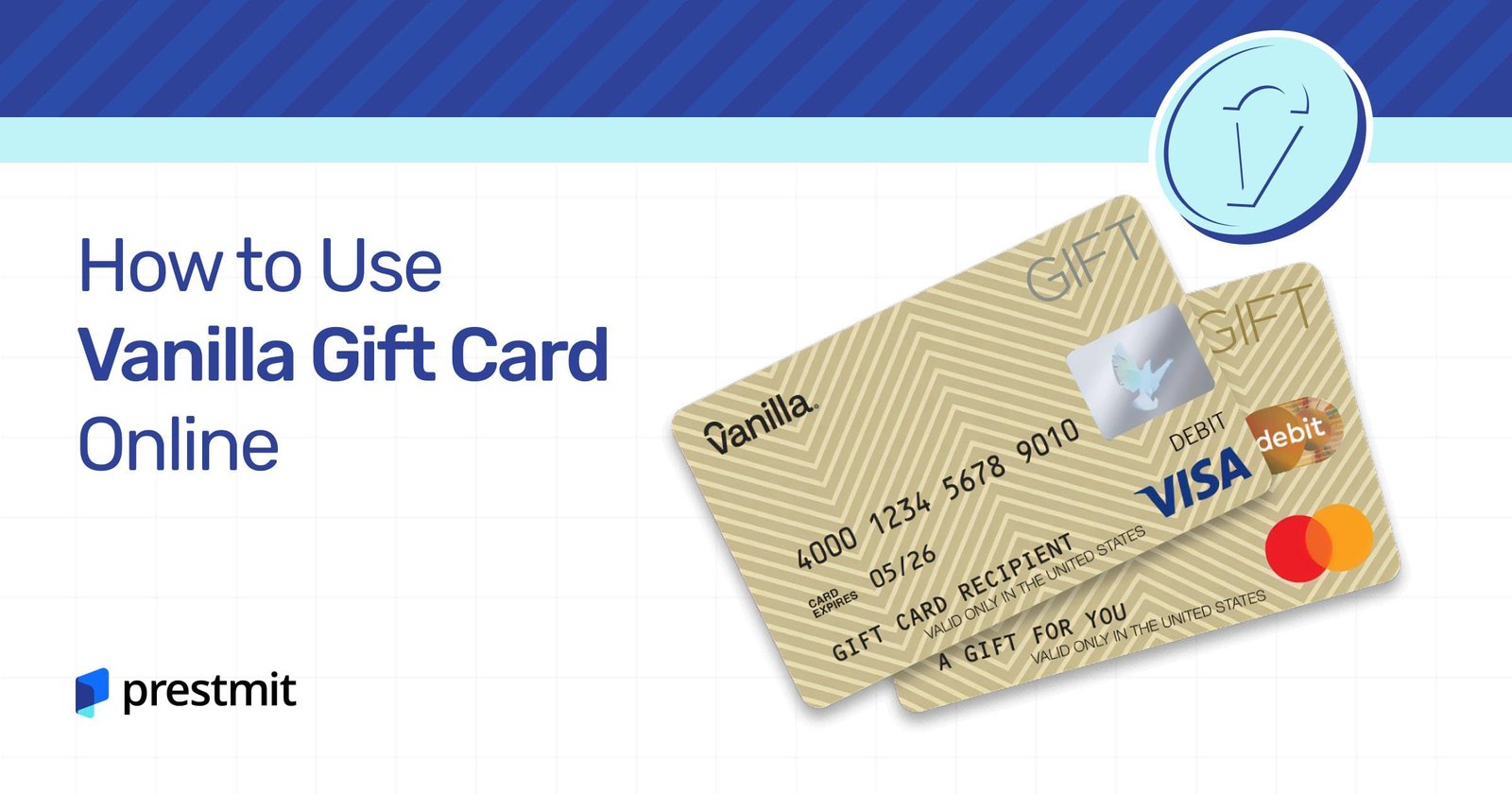

Have you recently received a Vanilla Visa Gift Card and are unsure how to use it online? You’re not alone!
Many people find themselves wondering how to make the most of this versatile card. Whether you’re planning to shop for gifts, treat yourself, or pay for services, knowing how to use your gift card effectively can save you time and hassle.
We’ll guide you through the simple steps to use your Vanilla Visa Gift Card online. You’ll learn about important details like activation, balance checking, and tips to avoid common pitfalls. By the end, you’ll feel confident and ready to make your purchases without a hitch. Let’s dive in and unlock the full potential of your Vanilla Visa Gift Card!
What Is A Vanilla Visa Gift Card
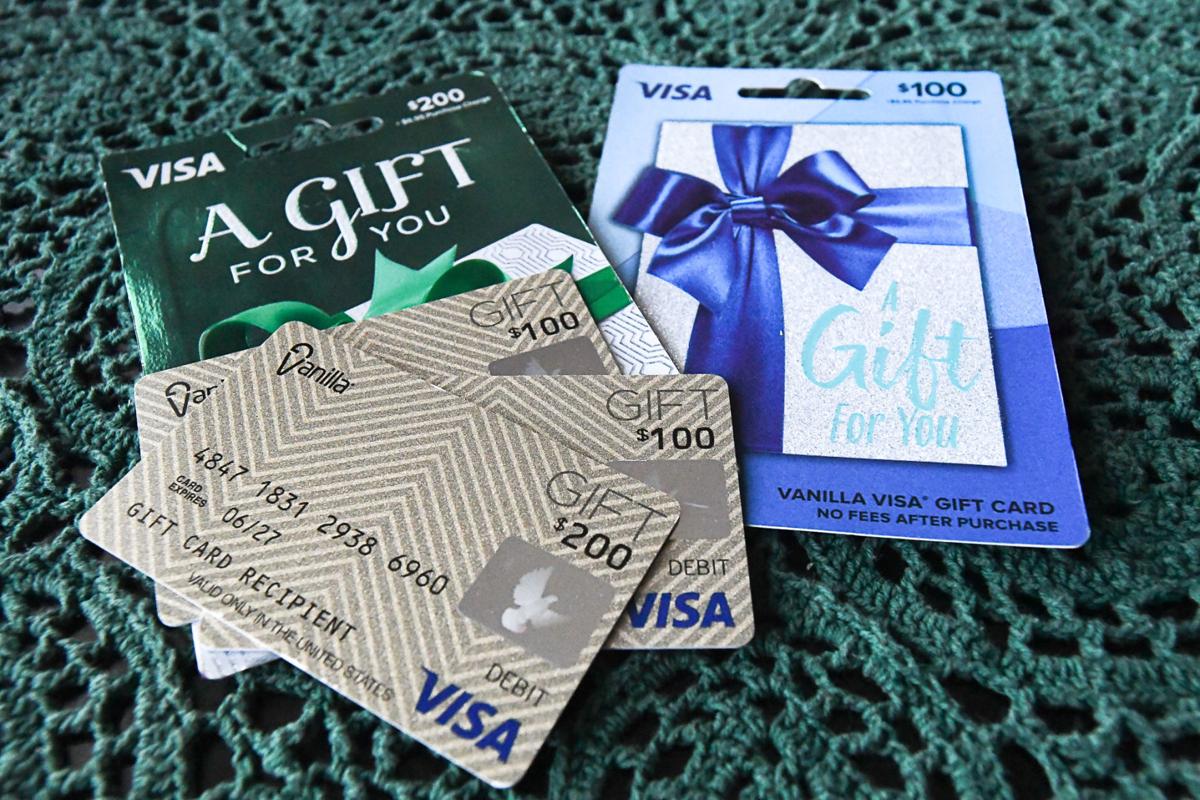
A Vanilla Visa Gift Card is a prepaid card. It can be used anywhere Visa is accepted. This card makes shopping easy and convenient.
Unlike credit cards, it has a set amount of money. Users can spend only what is loaded onto the card. This helps with budgeting and prevents overspending.
The Vanilla Visa Gift Card can be used online. It is also usable in stores. This flexibility makes it a popular choice for gifts.
Buying a Vanilla Visa Gift Card is simple. You can purchase it from many retail stores or online. They are available in various amounts, making them suitable for different budgets.
Once you have the card, it comes with instructions. These explain how to activate and use it. The card also has a unique number for online purchases.
Overall, the Vanilla Visa Gift Card is a practical option. It is perfect for gifts or personal use. It offers the freedom to shop without worries.

Credit: www.youtube.com
Activating Your Gift Card
Activating your Vanilla Visa Gift Card is a simple process. You need to do this before using it online. Activation ensures your funds are secure and ready for use. Follow the steps below to activate your card quickly.
Find Your Card Information
Start by locating the card. Look for the 16-digit card number on the front. You will also see an expiration date. Make a note of the CVV code on the back. This information is essential for activation.
Visit The Activation Website
Open your web browser. Go to the official Vanilla Visa Gift Card activation site. This site is where you will enter your card details. Make sure you are on the correct website to protect your information.
Enter Your Card Details
Input the 16-digit card number. Then, enter the expiration date and CVV code. Double-check for any mistakes. Accurate information helps avoid issues during activation.
Follow The Prompts
After entering your details, follow the on-screen instructions. You may need to provide additional information, like your name and address. Complete all required fields to proceed.
Confirmation Of Activation
Once you finish the process, wait for a confirmation message. This message will let you know your card is active. Keep it safe for future reference. You can now use your Vanilla Visa Gift Card online.
Checking Your Card Balance
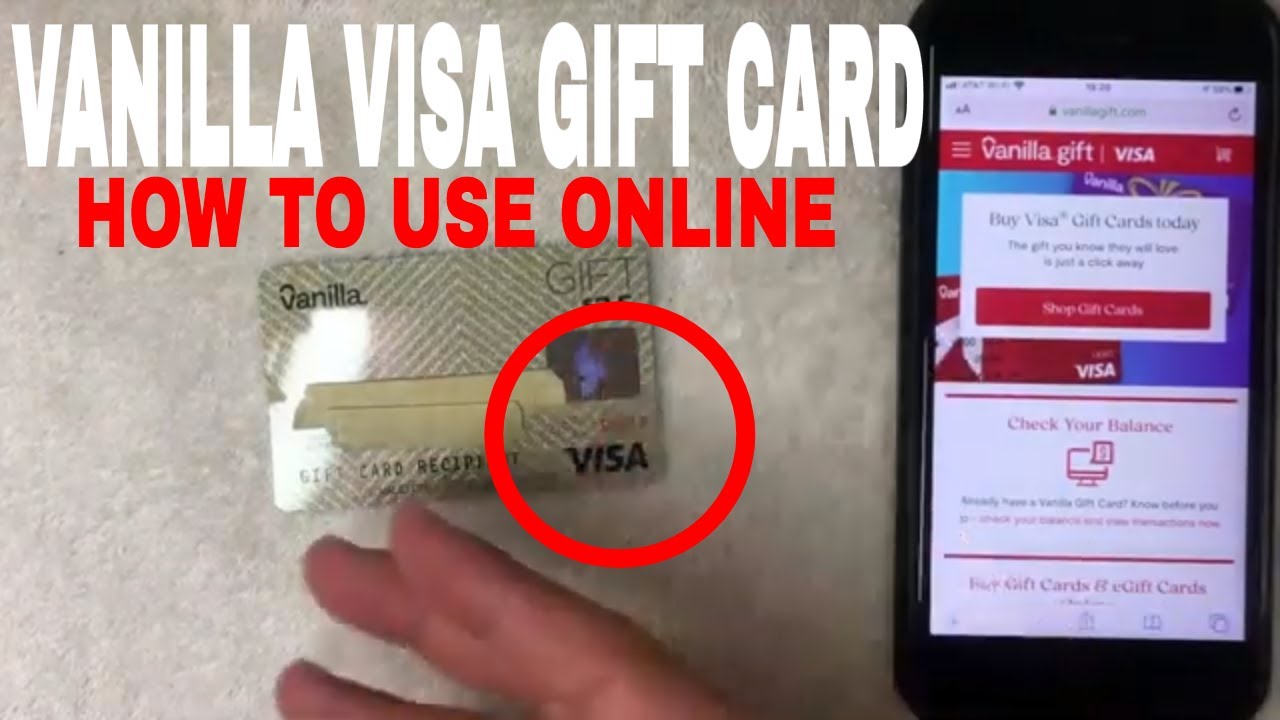
Knowing your Vanilla Visa gift card balance is important. It helps you manage your spending. You don’t want to run out of funds while shopping online. Checking your balance is easy and quick. Here are the steps to do it.
Visit The Official Website
Start by going to the Vanilla Visa website. Look for the section that says “Check Balance.” This section will guide you through the process. Make sure to use a secure internet connection.
Enter Your Card Information
You will need your card number. This number is on the front of your card. Also, enter the expiration date. This date is usually printed below the card number. Double-check for errors before submitting.
Review Your Balance
After entering your details, click on “Submit.” The website will show your current balance. It may also show recent transactions. This helps you keep track of your spending.
Check Regularly
It’s a good idea to check your balance often. This way, you can avoid any surprises. Knowing your balance helps you plan your purchases. You can enjoy shopping without worries.
Credit: www.youtube.com
Making Online Purchases
Using a Vanilla Visa gift card online is simple. Start by checking the card’s balance and ensure it’s activated. During checkout, enter the card number, expiration date, and security code. This lets you shop easily and securely at many online stores.
Enjoy your shopping!
Making online purchases with a Vanilla Visa Gift Card can be a seamless experience if you know the right steps. Whether you’re buying a gift or treating yourself, understanding how to enter your card details and use the correct billing address is crucial. Let’s dive into these two essential steps.
Entering Card Details
To start, you need the gift card’s information. Look for the 16-digit card number on the front. You’ll also find the expiration date and a CVV code on the back.
When you’re ready to check out, enter the card number in the payment section. Be careful not to confuse it with a credit card. Gift cards do not require a PIN for online purchases, but make sure all the details are entered accurately.
A common mistake is entering the information too quickly. Double-check your entries to avoid delays or errors. If you face issues, ensure your card is activated and has sufficient balance.
Using The Correct Billing Address
Next, pay close attention to the billing address. Many online retailers require this to verify your payment method. Use the billing address you registered with the gift card.
If you haven’t registered one, you can often use your own address. Just remember, if the address doesn’t match, the transaction may be declined.
You might wonder why this matters. Online security is tight, and retailers want to protect both you and themselves from fraud. Taking a moment to confirm your address can save you time and hassle at checkout.
By following these steps, you’ll be well on your way to enjoying smooth online shopping with your Vanilla Visa Gift Card. What will you purchase first?
Troubleshooting Common Issues
Using a Vanilla Visa Gift Card online can be easy. Yet, sometimes you may face problems. Here are some common issues and how to fix them.
Declined Transactions
Sometimes, your transaction may be declined. This can happen for several reasons. First, check if the card is activated. An inactive card won’t work.
Next, ensure you enter the card details correctly. Mistakes in the number or expiration date can cause declines. If the card still gets declined, contact customer service for help.
Insufficient Funds
Your Vanilla Visa Gift Card has a specific balance. If your purchase exceeds this amount, it will not go through. Always check your balance before shopping.
Some stores may not allow split payments. This means you cannot use another payment method to cover the extra cost. If your balance is low, consider smaller purchases.
Card Not Recognized
Sometimes, the website may not recognize your card. This can be due to the payment processor. Ensure the site accepts Vanilla Visa cards.
Also, check if you entered your address correctly. Some sites require the billing address to match the card’s address. If issues persist, try a different website.
Credit: cardtonic.com
Using Your Card For Split Payments
Using a Vanilla Visa Gift Card online for split payments is simple. First, enter your card details at checkout. Then, provide another payment method for the remaining balance. This way, you can easily manage your purchases without any hassle.
Using your Vanilla Visa Gift Card for split payments can be a practical solution when your card balance doesn’t cover the total purchase amount. This method allows you to combine multiple payment methods, making transactions smoother. Whether you are shopping for gifts or splitting a bill with friends, knowing how to effectively use your gift card can save you time and hassle.
Understanding Split Payments
Split payments allow you to divide the cost of a purchase among different payment methods. This means you can use your Vanilla Visa Gift Card along with another form of payment, like a debit or credit card.
Always check with the retailer first, as not all stores accept split payments. Some platforms, especially online, may have restrictions.
Steps To Use Your Vanilla Visa Gift Card For Split Payments
1. Start Your Purchase: Add items to your cart as you normally would.
2. Proceed to Checkout: Once you’re ready to pay, go to the checkout page.
3. Select Split Payment Option: Look for an option that allows multiple payment methods. This is often labeled as “Split Payment” or “Use Multiple Cards”.
4. Enter Your Gift Card Details: Input the Vanilla Visa Gift Card number, expiration date, and CVV.
5. Complete the Payment: Enter the remaining amount using your second payment method.
Double-check the amounts to ensure the total matches the purchase price.
Tips For Smooth Transactions
– Know Your Balance: Always check your gift card balance before shopping. This helps you gauge how much you can spend without complications.
– Save Your Receipts: Keep a record of your transactions. This is useful if you need to return an item or verify payments.
– Be Aware of Expiration Dates: Vanilla Visa Gift Cards have expiration dates. Use your card before it expires to avoid losing any funds.
Have you ever faced a situation where you couldn’t use your gift card because of a balance issue? Knowing how to split payments can help you avoid such frustrations in the future.
Common Retailer Policies
Each retailer has different policies regarding split payments.
– Online Stores: Many online retailers allow split payments, but not all. Check their payment options during checkout.
– In-Store Purchases: Some brick-and-mortar stores may require you to inform the cashier before they start the transaction.
Always ask about their policy if you are unsure.
Using your Vanilla Visa Gift Card for split payments can enhance your shopping experience. It provides flexibility and ensures that you can make the most out of your gift card. Whether it’s for a special occasion or just a day of shopping, being prepared can make all the difference.
Staying Safe While Shopping Online
Shopping online with a Vanilla Visa gift card is easy. But safety should always come first. Protecting your information is crucial. Follow these tips to shop safely and enjoy your experience.
Avoiding Fraudulent Websites
Always check the website’s URL. Look for “https://” at the start. The “s” means it’s secure. Be cautious of sites that look unprofessional. Poor design or misspellings can be red flags.
Stick to well-known retailers. These sites have better security measures. Avoid clicking on ads or links from emails. Scammers often use these to trick you.
Monitoring Transactions
Keep track of your purchases. Regularly check your account balance. Report any suspicious charges immediately. Most gift cards offer customer support for this purpose.
Set up alerts for transactions. Many card providers allow this feature. You will receive notifications for every purchase. This helps you spot fraud early.
Tips For Maximizing Your Gift Card
Maximizing your Vanilla Visa gift card is essential to getting the most value out of it. Whether you’re treating yourself or using it as a thoughtful gift, knowing how to stretch that balance can make a big difference. Here are some practical tips to help you make the most of your gift card.
Check Your Balance Regularly
Start by keeping track of your card’s balance. You can check it online or via the Vanilla Visa app. Knowing how much you have left helps you plan your purchases better.
Use It For Everyday Expenses
Consider using your gift card for everyday expenses. Paying for groceries or gas can ease your budget. It’s a simple way to enjoy your card while saving cash.
Combine With Other Payment Methods
If your purchase exceeds the gift card balance, don’t worry. Many online retailers allow you to split payments. Use your gift card for part of the payment and cover the rest with another card.
Look For Promotions And Discounts
Keep an eye out for stores that offer discounts for using gift cards. Some retailers have special promotions that can give you more bang for your buck. Combining discounts with your gift card can lead to significant savings.
Shop At Retailers That Accept Vanilla Visa
Make sure to shop at retailers that accept Vanilla Visa. Not all stores accept all types of gift cards. Familiarize yourself with the stores that do to ensure a smooth shopping experience.
Save For Bigger Purchases
Consider saving your gift card for larger purchases. Putting it toward something special can enhance your shopping experience. Think about using it for a nice dinner or a new gadget you’ve been eyeing.
Keep The Card Secure
Treat your gift card like cash. Keep it in a safe place to avoid loss or theft. If you lose it, report it as soon as possible to minimize potential loss.
Using these tips can help you enjoy your Vanilla Visa gift card to the fullest. What will you choose to buy first? Every little decision can lead to a more fulfilling experience.
Frequently Asked Questions
How Do I Activate My Vanilla Visa Gift Card?
To activate your Vanilla Visa gift card, visit the official website or call the customer service number provided. You will need to enter your card number, security code, and other personal information. Once activated, you can use it for online purchases.
Can I Use My Vanilla Visa Gift Card Anywhere Online?
Yes, you can use your Vanilla Visa gift card anywhere that accepts Visa payments. However, some merchants may have restrictions, so it’s advisable to check before making a purchase. Always ensure that your card has enough balance for the transaction.
What If My Vanilla Visa Gift Card Is Declined Online?
If your Vanilla Visa gift card is declined, first check your card balance. Ensure that you are entering the correct card number and security code. If the issue persists, contact customer service for assistance in resolving the problem.
Are There Fees Associated With Vanilla Visa Gift Cards?
Yes, Vanilla Visa gift cards may come with activation and maintenance fees. These can vary based on the retailer and the card value. Always check the terms and conditions to understand any potential fees before purchasing.
Conclusion
Using a Vanilla Visa gift card online is simple and convenient. Start by checking your card balance. This helps you know how much you can spend. Next, enter your card details during checkout. Make sure to include the card number, expiration date, and security code.
Keep track of your purchases to avoid overspending. If you face issues, contact customer support for help. Enjoy shopping with your card. It’s a great way to buy gifts or treat yourself. Follow these steps, and you’ll use your card with ease.