
Are you tired of carrying around physical Visa gift cards? Imagine the convenience of having them securely stored on your iPhone, ready to use with just a tap.
Adding Visa gift cards to your Apple Wallet is easier than you might think, and it can transform the way you manage your finances. In this guide, you’ll discover the simple steps to seamlessly integrate your Visa gift cards into Apple Wallet.
Say goodbye to fumbling through your wallet and hello to a more streamlined, digital solution. Keep reading to unlock the full potential of your Visa gift cards and enjoy a smarter way to pay!

What Is A Visa Gift Card?
A Visa Gift Card is a prepaid card. People use it like cash. You can spend it anywhere Visa is accepted. It is a great gift for birthdays and holidays. People often buy them in stores or online. These cards have a set amount of money. Once you spend that amount, the card cannot be used again. They are safe and easy to use. Many people prefer them over carrying cash.
Visa Gift Cards can help when shopping. They limit spending to the card’s balance. This helps control how much you spend. It’s also a good way to teach kids about money. Parents give them to children to learn spending wisely. Visa Gift Cards are popular worldwide.
Benefits Of Adding To Apple Wallet
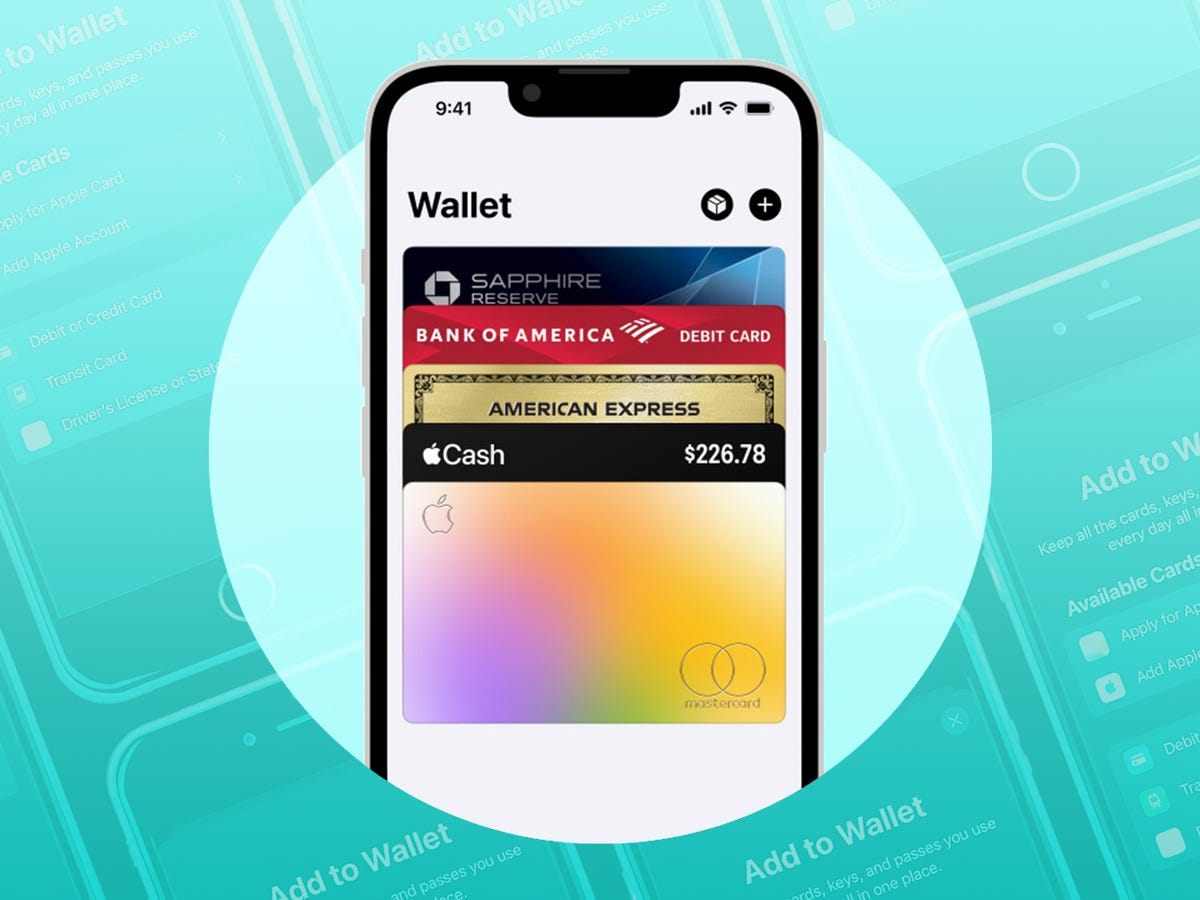
Keeping track of gift cards can be hard. Adding them to Apple Wallet helps. It makes life easier. You can access them quickly. No need to carry physical cards. Just use your phone. It is safe and convenient. Your balance shows clearly. This helps with managing spending.
Using Apple Wallet reduces clutter. No more lost cards. Everything stays in one place. You are always ready to shop. It’s simple to pay. Just tap and go. Many stores accept Apple Wallet. Enjoy a smoother shopping experience.
Checking Card Compatibility
Not all Visa gift cards work with Apple Wallet. Check your card to see if it’s compatible. Look for the words “Apple Wallet” on the card or its packaging. Some cards may require activation before adding them. Read the instructions provided with your card. Check the card’s website for more details. Not all types of cards will work. Some cards are only for specific stores. If unsure, contact the card issuer for help. They can confirm if your card works with Apple Wallet.
Preparing Your Iphone
Adding a Visa gift card to Apple Wallet is straightforward. Open the Wallet app, tap the “+” icon, and follow the prompts to enter your card details. Enjoy a seamless experience using your gift card for purchases.
Updating Ios
Check if your iPhone has the latest iOS. This helps with app updates. Go to Settings, then General. Tap Software Update. Wait for your phone to check for updates. If there is a new version, tap Download and Install. Make sure your iPhone is charged. Updates can take time.
Ensuring Internet Connection
Your iPhone needs a good internet connection. Check if your Wi-Fi is on. Go to Settings. Tap Wi-Fi. Make sure it’s connected to a network. If Wi-Fi is not available, check your mobile data. Go to Settings, tap Cellular, and turn on Cellular Data. A stable connection is important for updates.
Adding Visa Gift Card To Apple Wallet
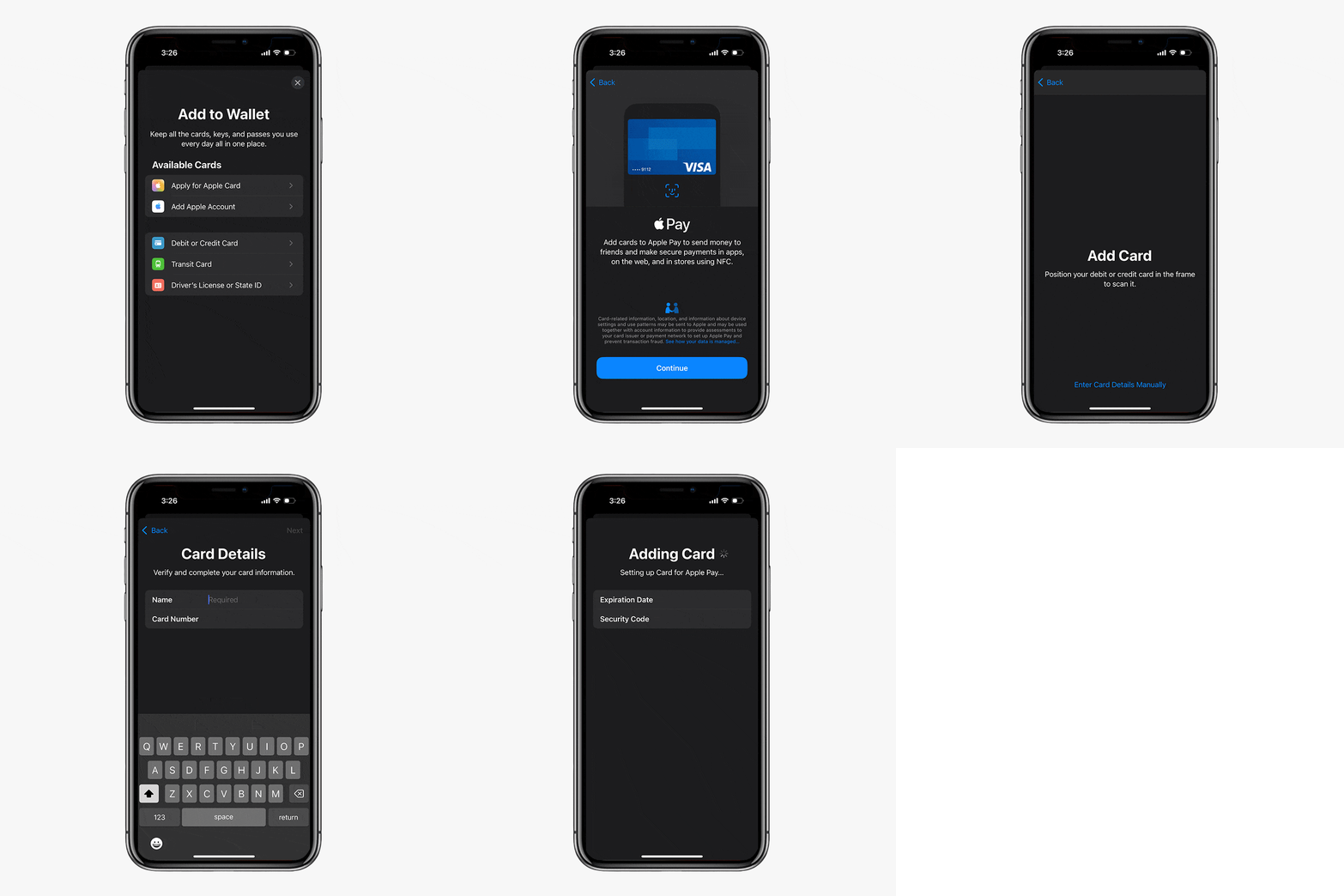
Open the Wallet app on your iPhone. Tap the plus icon. Choose the option to add a card. This starts the process. You will see different card types. Select the gift card option. Follow the on-screen instructions. Make sure your card is supported. Some cards may not work.
Have your Visa gift card ready. Enter the card number. Type in the expiration date. Fill in the security code. Check all details carefully. Tap on ‘Next’ to proceed. Your card gets added. Now, it’s in your Apple Wallet. Ready to use for payments.
Troubleshooting Common Issues
Adding Visa gift cards to Apple Wallet can sometimes be tricky. Ensure your card is activated and supported. If issues persist, check for software updates on your device.
Card Not Recognized
Visa gift cards sometimes face recognition issues in Apple Wallet. This might happen due to card compatibility. Always ensure your card is compatible with digital wallets. Some cards are not made for digital use. Double-check card details and input them accurately. Incorrect details can lead to non-recognition. Also, verify the card’s activation status. An inactive card won’t be recognized. If issues persist, contact card issuer for assistance.
Issues With Verification
Verification problems may occur during card addition. Ensure your device software is up to date. Outdated software can cause verification errors. Check internet connection stability. A poor connection might hinder verification. Always input correct security codes. Wrong codes trigger verification failures. If verification errors continue, reach out to Apple Support for guidance. They provide solutions for persistent issues.
Security Tips
Easily add Visa gift cards to Apple Wallet for quick access and convenience. Open the Wallet app and tap the plus sign. Follow the on-screen instructions to input your card details and enjoy seamless transactions.
Keeping Card Details Safe
Protecting your Visa Gift Card is important. Never share your card details with anyone. Be cautious when entering card information online. Use trusted websites only. Check for a padlock symbol in the browser. This ensures the site is secure. Avoid public Wi-Fi for transactions. Hackers can steal data easily. Update your device regularly. This keeps security features strong.
Using Secure Passwords
Strong passwords keep your information safe. Use unique passwords for each account. Avoid simple words like “password”. Mix letters and numbers. Include special characters like “@” or “#”. Change passwords every few months. This helps protect your accounts. Avoid using birthdates. These are easy to guess. Use password managers. They help store and create secure passwords. Always log out after using shared devices.
Alternative Payment Methods
Apple Wallet is a handy tool. It stores cards for easy use. But Visa gift cards might not add directly. Other methods can help. Alternative payment methods make it possible. Check with your bank. Some banks offer virtual cards. These can be added to Apple Wallet. Another option is using a third-party app. Some apps convert gift cards to a usable form. Always ensure your account details are safe. Only use trusted apps and websites. This way, your money stays protected. It’s important to explore all options. Finding the right method can save time.
Frequently Asked Questions
Can You Add Visa Gift Cards To Apple Wallet?
Yes, you can add Visa gift cards to Apple Wallet. First, download the card issuer’s app on your device. Follow the app instructions to add your gift card. Once completed, it will appear in your Apple Wallet, ready for convenient use.
What Are The Steps To Add Visa Cards?
To add Visa gift cards, open the Wallet app. Tap the “+” icon to add a card. Use the camera to scan your card or enter details manually. Follow the prompts to complete the process, ensuring your card is ready for transactions.
Are All Visa Cards Compatible With Apple Wallet?
Not all Visa gift cards are compatible with Apple Wallet. Check with your card issuer to see if your card supports mobile wallets. Issuer apps often indicate compatibility, allowing you to add your card for convenient digital transactions.
Do Visa Gift Cards Work Like Credit Cards?
Visa gift cards work similarly to credit cards but are prepaid. They require a balance to make purchases. You can’t spend beyond the loaded amount. Add them to Apple Wallet for easy access and use them until the balance is depleted.
Conclusion
Adding Visa Gift Cards to Apple Wallet is simple and convenient. It saves time and effort during purchases. Follow the steps outlined for a smooth process. Enjoy the ease of digital payments with your Visa Gift Card. Remember, always keep your card details secure.
This method enhances your shopping experience. No more hassle of carrying physical cards. Embrace the digital age with Apple Wallet. Enjoy seamless transactions at your fingertips. Stay organized and efficient. Keep exploring more ways to simplify your life with technology.
Happy shopping!



