
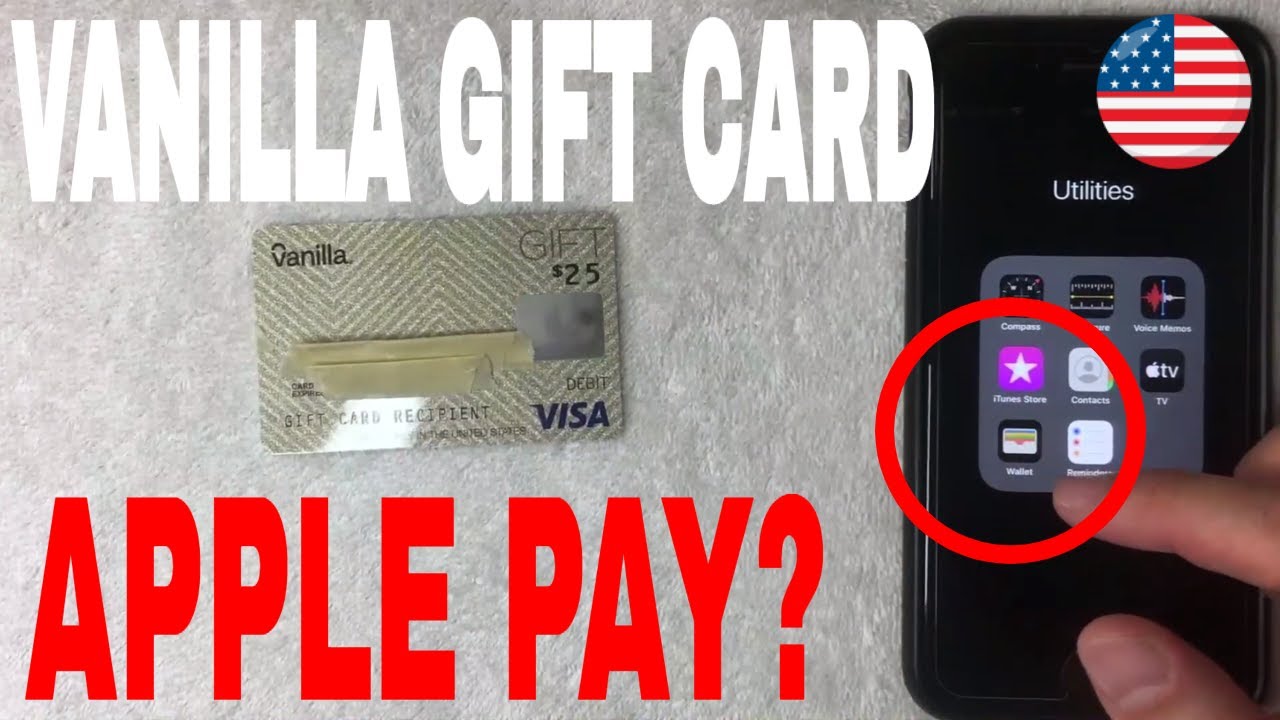
Have you ever received a Visa gift card and wondered how to make it a part of your digital wallet for easy access? Imagine the convenience of carrying this gift card right on your iPhone, ready to use at any moment.
Adding a Visa gift card to your Apple Wallet doesn’t just streamline your spending; it also ensures you never miss out on utilizing every cent of your gifted balance. In this guide, we’ll walk you through the simple steps to integrate your Visa gift card into Apple Wallet.
You’ll discover how this digital addition can simplify your financial transactions and enhance your shopping experiences. Stick around to unlock the full potential of your Visa gift card with just a few taps.
Setting Up Your Apple Wallet
Not all devices work with Apple Wallet. Check your device first. iPhone users must have iPhone 6 or later. Some iPads also work. Check for Apple Pay support on your device. Older models might not be supported. Visit Apple’s website for a list of supported devices. Make sure your device is not too old.
Make sure your iOS is updated. Open settings on your device. Click on “General” then “Software Update”. Update to the latest version. Updates fix bugs and improve security. They also add new features. An updated iOS helps your Apple Wallet work better. Keep your device updated regularly. This ensures optimal performance.
Preparing Your Visa Gift Card
First, find the activation sticker on the card. Follow the instructions on it. Usually, you need to call a number or visit a website. This step makes the card ready for use. Without activation, the card won’t work. Keep the card number handy. You might need it during activation. Also, set a PIN if the card allows. This helps with extra security.
Check the balance before using the card. It’s easy. Visit the card issuer’s website. Enter the card number and security code. Sometimes, a phone number is given. Call it for balance info. Knowing the balance helps you spend wisely. Keep track of your spending. This prevents any surprises at checkout. Use the card until the balance is zero.
Adding The Gift Card To Apple Wallet
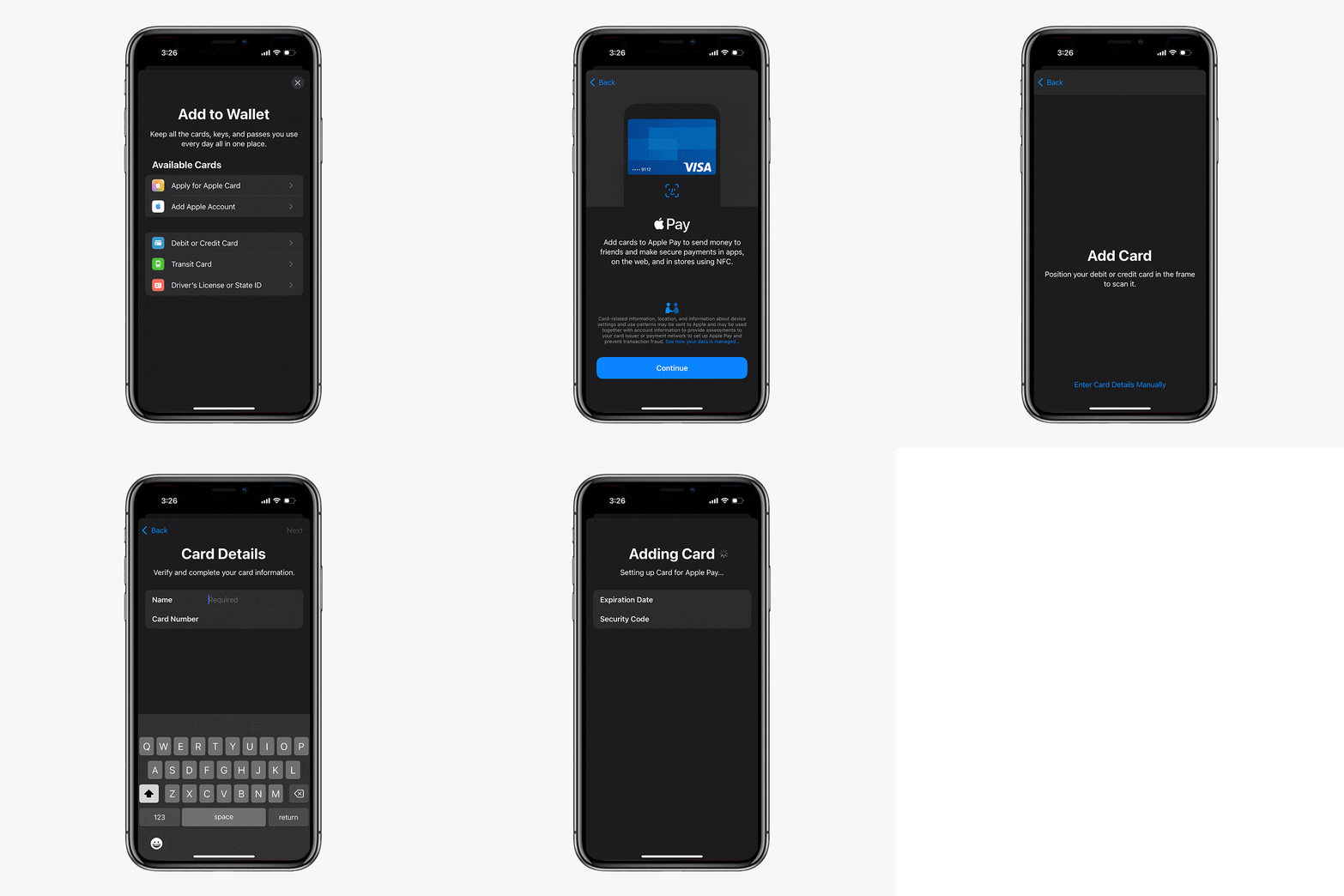
First, find the Wallet app on your phone. Tap to open. The app shows your cards and passes. Look for the plus sign. Tap the plus sign to add a new card.
Type the card number into the app. Enter the expiry date. Type the security code. Make sure all details are correct. Tap “Next” to continue.
Open the camera option in the app. Place the card in front of the camera. Align the card with the box on the screen. The app reads the card number. Check if all details are correct.

Troubleshooting Common Issues
Adding a Visa gift card to Apple Wallet can be tricky. First, check if the card supports digital wallets. If not, contact Visa for assistance or try using it through Apple Pay.
Resolving Card Verification Problems
Sometimes, cards face verification issues. The card number might be wrong. Double-check it for accuracy. Another problem can be the expiration date. Make sure it is correct. Also, check the card’s CVV number. Ensure it matches exactly. If still not working, contact the card issuer. They can help with activation problems. Ensure that your device’s iOS is updated. Updates can fix many issues.
Dealing With Unsupported Card Errors
Not all cards work with Apple Wallet. Your card might be unsupported. Check the card’s terms. Some cards cannot be added. Ensure you have an internet connection. Sometimes, slow internet causes errors. Restart your phone. It can help refresh the system. If issues persist, contact the card provider. They will give more details. Also, check Apple’s list of supported cards. Make sure your card is on it.
Maximizing Gift Card Usage
Making Purchases with Apple Pay is simple. First, make sure your Visa gift card is in your Apple Wallet. Use your iPhone or Apple Watch to pay. Just hold it near the store’s card reader. Wait for the beep. Your payment is done. It’s quick and easy. Remember to check if the store accepts Apple Pay.
Tracking Spending and Balances is important. Always know how much money you have left. Open your Apple Wallet to see your balance. Keep an eye on your transactions too. This helps you avoid spending too much. It’s like having a small bank in your pocket. Keep track, stay smart.
Security Tips For Gift Card Use
Easily add a Visa gift card to Apple Wallet for safe and convenient use. Ensure your device is updated and verify card details to avoid errors. Protect your card information by using a secure network during the process.
Protecting Card Information
Keep your card safe. Avoid sharing your card number. Store it in a secure place. Use strong passwords for online accounts. Don’t write passwords down. Choose something hard to guess. Be careful online. Don’t click on strange links. Use trusted websites for purchases. Check if the website is secure. Look for “https” in the web address. Guard your card details like you guard your money.
Managing Lost Or Stolen Cards
Report lost cards immediately. Call the card company. Ask them to block the card. Keep their number handy. Write it down somewhere safe. Monitor your account for any strange charges. Act quickly to avoid problems. Get a replacement card if needed. Always check your card balance. Stay alert to protect your money.
Frequently Asked Questions
Can I Add A Visa Gift Card To Apple Wallet?
Yes, you can add a Visa Gift Card to Apple Wallet. However, it might require compatibility with your bank or card issuer. Open the Wallet app, tap the “+” sign, and follow the instructions. Ensure your Visa Gift Card is eligible for Apple Pay before attempting to add it.
Why Won’t My Visa Gift Card Work On Apple Wallet?
Visa Gift Cards may not work due to issuer restrictions or insufficient balance. Ensure your card is activated and funded. Contact your card issuer for compatibility issues. Sometimes, regional or issuer limitations prevent linking to Apple Wallet. Double-check your card’s eligibility with Apple Pay for smoother integration.
How Do I Check Visa Gift Card Balance In Apple Wallet?
Apple Wallet doesn’t directly show your Visa Gift Card balance. You’ll need to check the balance via the card issuer’s website or phone service. Most issuers provide a toll-free number or website for balance inquiries. Ensure accurate balance checks to avoid transaction declines during purchases.
Is There A Fee For Adding A Visa Gift Card?
Adding a Visa Gift Card to Apple Wallet typically incurs no fee. However, check with your card issuer for any possible charges. Some issuers might apply fees for balance checks or transactions. Confirm with your bank to avoid unexpected fees when linking your card to Apple Wallet.
Conclusion
Adding a Visa Gift Card to Apple Wallet is simple. You just follow a few steps. First, open the Apple Wallet app on your device. Then, select the option to add a new card. Enter your Visa Gift Card details carefully.
Be sure all numbers are correct. After that, your card will be ready to use. This method makes payments fast and easy. No more fumbling with physical cards. Your purchases become seamless. Enjoy the convenience of digital payments today. It’s secure and efficient.
Perfect for quick transactions. Try it out and see the benefits for yourself.



