

Using a Visa debit gift card online can be a bit confusing, especially if it’s your first time. You might wonder how to make it work seamlessly with your favorite online stores.
Don’t worry—you’re not alone! Many people have questions about using these cards effectively. You’ll discover simple steps to help you use your Visa debit gift card for online shopping. You’ll learn how to check your balance, where to enter your card information, and tips to avoid common pitfalls.
By the end, you’ll feel confident making purchases without any hassle. Let’s dive in and make your online shopping experience smooth and enjoyable!
What Is A Visa Debit Gift Card
A Visa debit gift card is a prepaid card. It works like a regular debit card. However, it is not linked to a bank account. You load a specific amount of money onto it.
This card can be used for purchases. It is accepted anywhere Visa is accepted. It offers a simple way to give gifts. Recipients can spend it just like cash.
Visa debit gift cards are versatile. They are great for birthdays, holidays, or special occasions. You can buy them at many retailers or online. They come in various designs and amounts.
Using this card is easy. It provides more control over spending. Users won’t overspend. Once the balance is gone, the card cannot be used.
Keep the receipt. It helps track your spending. If the card is lost or stolen, report it immediately. You may be able to recover some of the funds.
Activating Your Gift Card
Activating your Visa debit gift card is simple and quick. This step is crucial for using your card online. Without activation, you cannot make purchases or check your balance.
Follow the steps below to activate your card. It usually takes just a few minutes.
Steps To Activate Online
- Find the activation sticker on your card.
- Visit the website mentioned on the sticker.
- Enter the card number and security code.
- Fill in your personal details as requested.
- Submit the information to complete activation.
Keep your card handy during activation. You may need to enter some details from it. Make sure all information is correct to avoid issues.
Checking The Activation Status
After activation, check your card status. It is easy and can be done online.
- Go to the card issuer’s website.
- Look for the option to check card status.
- Enter your card number and other required details.
- Submit to see if your card is active.
If the card is not activated, repeat the activation steps. Contact customer service if you have problems.
Understanding Your Card Balance
Knowing your Visa debit gift card balance is important. It helps you avoid overspending. A low balance can lead to declined transactions. You can check your balance easily. This ensures you always have enough funds for your purchases.
How To Check Your Balance
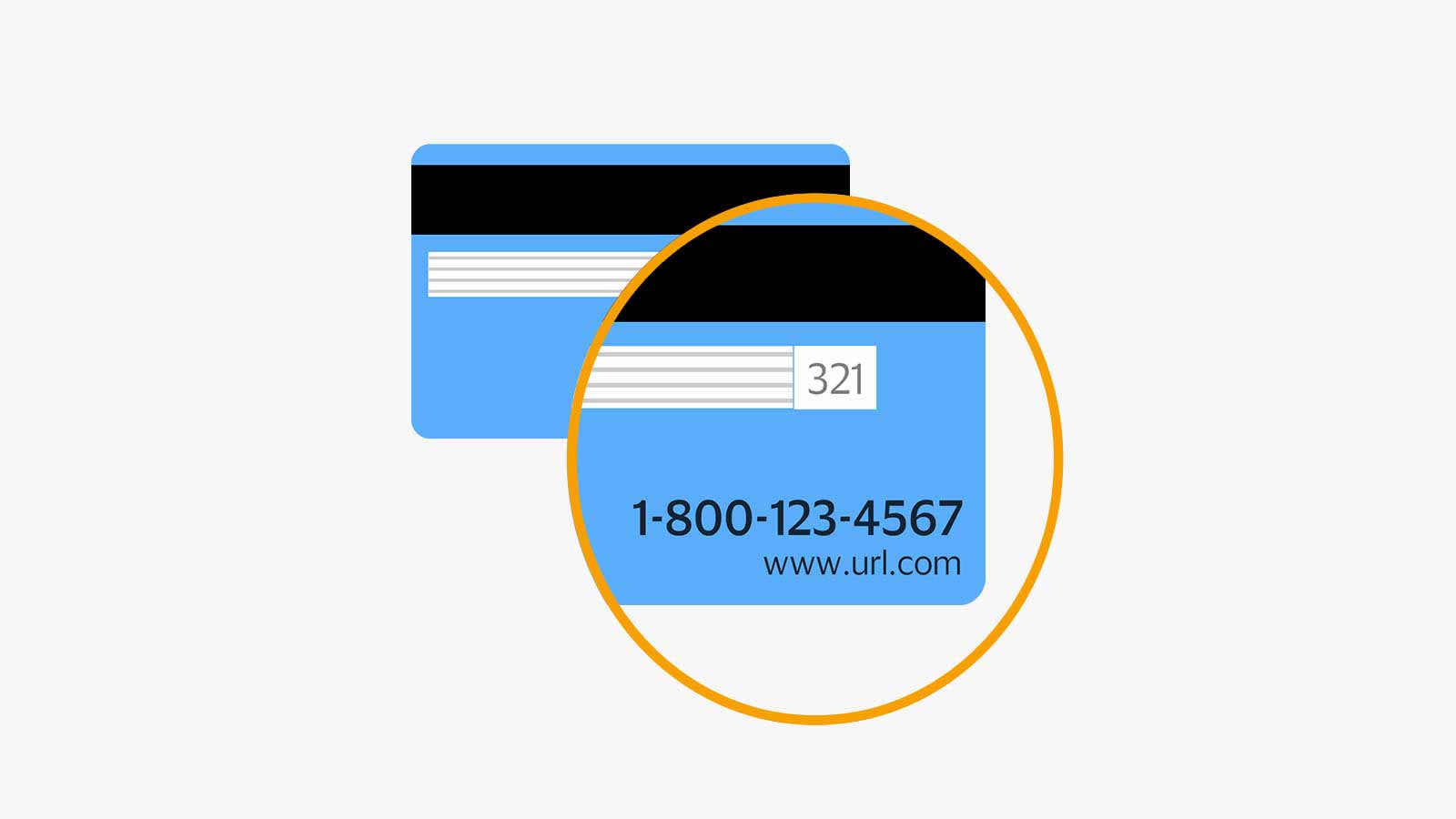
Checking your Visa debit gift card balance is simple. Most cards come with instructions. You can check your balance online. Visit the card issuer’s website. Enter your card number and security code.
Another option is to call customer service. Use the phone number on the back of the card. Follow the prompts to hear your balance. Some stores also display balance information at checkout.
Why Balance Accuracy Matters
Accurate balance information prevents confusion. Knowing your balance helps you plan purchases. You avoid situations where your card is declined. This can be embarrassing and frustrating.
Keeping track of your balance also aids budgeting. It helps you manage your spending. A clear understanding of your funds is essential. Always check your balance before shopping online.
Credit: usa.visa.com
Using Your Card For Online Shopping
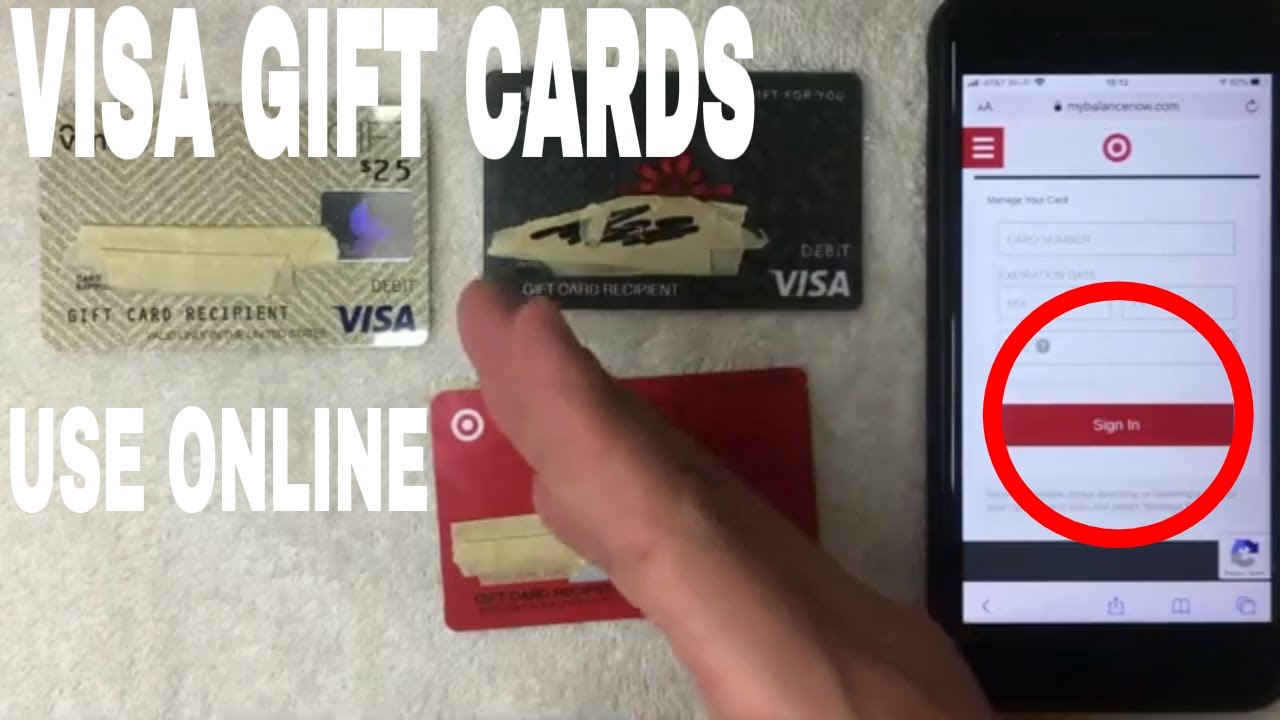
Using a Visa debit gift card online is simple. It works like any other debit card. You can buy items from various online stores easily. Just follow a few steps to make your shopping smooth.
Entering Card Details Correctly
First, find the checkout page of the store. Look for the payment section. You will see fields for card details. Enter the card number carefully. This number is on the front of your card.
Next, input the expiration date. This date is also on the card. Then, enter the CVV code. This three-digit number is on the back. Make sure to double-check all details before submitting.
What To Do If Your Card Is Declined
Sometimes, your card may be declined. This can happen for various reasons. Check if you entered the card details correctly. If they are right, check the balance on your card.
If the balance is low, you may need to add funds. Contact customer service for help. They can provide information on why the card was declined. Don’t worry. Many issues can be fixed quickly.
Tips For Successful Transactions
Using a Visa debit gift card online can be simple. Follow these tips for successful transactions. They will help you avoid common problems. Keep your payment process smooth and hassle-free.
Matching Billing Information
Always enter the correct billing information. Use the details linked to your gift card. This includes the name, address, and zip code. Mismatched information can cause payment errors. Ensure your information matches the card’s registration. This small step saves time and frustration.
Avoiding Partial Payment Issues
Some online stores do not accept partial payments. Gift cards often have fixed amounts. Make sure your purchase does not exceed the card balance. Check your card balance before shopping. If your purchase is larger, consider other payment methods. This avoids failed transactions and delays.
Common Issues And Solutions
Using a Visa debit gift card online can sometimes lead to issues. Common problems include declined transactions or insufficient balance. Solutions involve checking the card balance, ensuring the card is activated, and entering the correct details during checkout. These steps can help make online shopping easier.
Common Issues and Solutions
Using a Visa debit gift card online can sometimes lead to unexpected hurdles. You might encounter payment errors or face difficulties that leave you frustrated. Here are some common issues and their solutions to help you navigate these challenges smoothly.
Troubleshooting Payment Errors
Payment errors can be a real headache. One common issue is exceeding the card’s balance. Always check your card balance before making a purchase to avoid this.
Another issue is entering incorrect card details. Double-check the card number, expiration date, and security code. Even a small typo can lead to a failed transaction.
If you face issues with online merchants not accepting gift cards, try contacting their customer service. Some merchants require you to register the card before using it. Look for any terms and conditions that might apply.
Contacting Customer Support
If you’ve tried troubleshooting without success, reaching out to customer support can provide clarity. Call the number on the back of your card or visit the issuer’s website for assistance.
Be ready to provide details about your transaction. The support team can often help you uncover the root of the problem and guide you toward a resolution.
Have you ever faced a frustrating payment error? Knowing how to efficiently resolve these issues can make your online shopping experience much more enjoyable.
Where You Can Use Your Gift Card
A Visa debit gift card is easy to use for online shopping. It works like a regular debit card. You can spend the balance anywhere that accepts Visa. Knowing where to use your gift card helps you shop wisely.
Many popular online stores accept these gift cards. You can find items for almost anything. From clothes to electronics, the options are wide. But, some stores may have restrictions. It is essential to know where your gift card will work.
Popular Online Retailers
Many well-known online retailers accept Visa debit gift cards. Amazon is a favorite for shoppers. You can buy books, gadgets, and more. eBay is another great option. You can bid on items or buy them outright. Walmart offers a range of products online too. You can shop for groceries, clothes, or home goods.
Target and Best Buy also accept these gift cards. Target has a variety of items, from food to fashion. Best Buy is perfect for tech lovers. You can find the latest gadgets there.
Restrictions To Keep In Mind
Some online retailers may have restrictions. Certain websites do not accept gift cards. Check the payment options before shopping. Some sites require you to register your card. This step helps prevent fraud.
Also, watch out for international sites. They may not accept U.S.-issued gift cards. If you plan to shop globally, confirm payment methods first. Always check your card balance before making a purchase. This step ensures you have enough funds for your order.

Credit: www.youtube.com
Managing Unused Balances
Many people receive Visa debit gift cards. Sometimes, these cards have unused balances. Managing these balances can help you maximize your spending. Here are some tips to help you use your gift card effectively.
Combining Balances For Purchases
Combining balances can be an easy way to use your gift card. Some online stores allow you to combine multiple payment methods. Check if the store accepts partial payments. This way, you can pay with your gift card and another card.
For example, if your gift card has $10 and your item costs $25, you can use the gift card and a credit card. This helps you avoid leaving unused money on the card.
Tips For Spending Small Amounts
Spending small amounts can be tricky. Try to find items that match your gift card balance. Look for products priced at or below your remaining balance. This helps you use the card fully.
Consider buying gift cards for small stores. Use your Visa debit gift card to purchase them. You can then use those gift cards for future shopping.
Another option is to buy digital goods. Many online services allow you to pay small amounts. This can be a great way to use your card without leaving a balance.
Credit: www.youtube.com
Frequently Asked Questions
How Can I Activate My Visa Debit Gift Card?
To activate your Visa debit gift card, visit the website provided with the card. Enter the card number, expiration date, and security code. Follow the prompts to complete the activation. You may also activate it via phone by calling the number on the back of the card.
Can I Use My Visa Gift Card For Online Shopping?
Yes, you can use your Visa gift card for online shopping. Just enter the card number, expiration date, and security code at checkout. Ensure that the card has sufficient balance to cover your purchase. Some online retailers may require billing information that matches the card.
What If My Visa Gift Card Is Declined Online?
If your Visa gift card is declined online, check the card balance first. Ensure that you entered the correct card details. Sometimes, merchants place holds that exceed your balance. Contact customer service for assistance if the problem persists.
Are There Fees Associated With Using A Visa Gift Card?
Yes, there can be fees associated with using a Visa gift card. These may include activation fees, monthly maintenance fees, or transaction fees. Always read the terms and conditions provided with the card. Understanding these fees helps in managing your spending effectively.
Conclusion
Using a Visa debit gift card online is simple. Follow the steps outlined in this guide for a smooth experience. Always check your card balance before making a purchase. Enter your card details carefully at checkout. Keep track of your spending to avoid surprises.
Enjoy the convenience of online shopping with your gift card. This method offers flexibility and security. With these tips, you can shop confidently. Start using your Visa debit gift card today and make your online shopping easier.



