

Are you looking to make the most out of your Visa gift card? Linking it to Cash App can open up a world of convenience for you.
Imagine easily transferring funds, making online purchases, or sending money to friends—all with just a few taps on your phone. If you’ve ever wondered how to do this, you’re in the right place. This guide will walk you through the simple steps to link your Visa gift card to Cash App, ensuring you can access your funds whenever you need them.
Don’t miss out on the benefits; keep reading to unlock the full potential of your gift card!
Credit: prestmit.io
What Is A Visa Gift Card
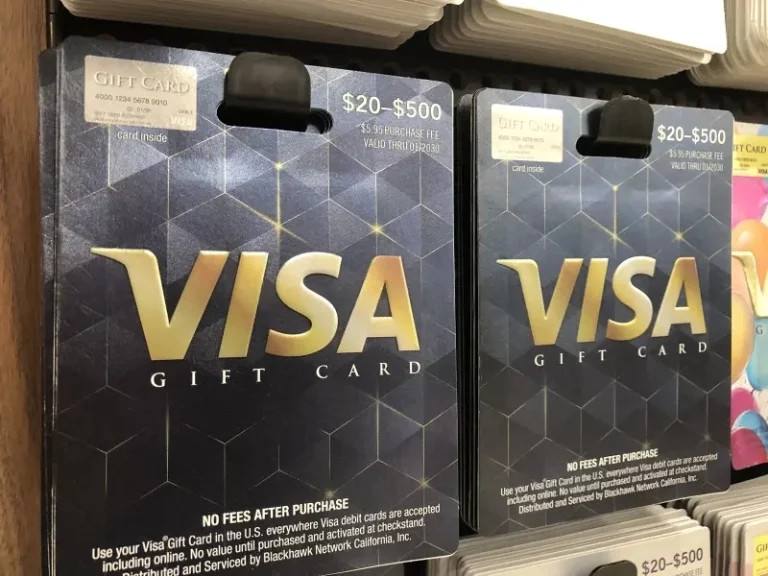
A Visa Gift Card is a prepaid card. It works like a debit card. You can use it to buy things anywhere Visa is accepted.
These cards are perfect for gifts. They let the recipient choose what they want. No need to guess sizes or styles.
Visa Gift Cards come in different amounts. You can find them at many stores. They are easy to purchase and use.
Unlike regular credit cards, they do not require a bank account. You load money onto the card before using it.
Once the money is gone, the card cannot be used. It’s a simple way to control spending.
Credit: prestmit.io
How Cash App Works
Cash App is a convenient mobile payment service that allows you to send, receive, and manage your money effortlessly. It operates on a peer-to-peer network, making transactions quick and secure. Understanding how Cash App works is essential for maximizing its features, especially when linking your Visa gift card.
What Is Cash App?
Cash App is more than just a payment app; it’s a financial tool. You can send money to friends or pay for goods and services. It also provides a Cash Card, which allows you to use your Cash App balance for purchases.
How Do Transactions Work?
Transactions on Cash App are straightforward. You simply enter the recipient’s information, specify the amount, and hit send. You can also request money from others by sending them a payment link.
Managing Your Cash App Balance
Your Cash App balance can be funded in various ways. You can add money from your bank account, receive funds from friends, or link a debit or credit card. This flexibility makes it easier to manage your finances.
Security Features
Cash App prioritizes security with multiple features. Your transactions are encrypted, and you can set up a PIN or biometric lock for added protection. Always enable notifications to monitor your account activity.
Linking A Visa Gift Card
Linking your Visa gift card to Cash App is simple. Just go to your account settings and select ‘Linked Accounts.’ Enter your gift card information, and you’re ready to use it for transactions.
Have you ever faced issues with linking your card? You’re not alone. Many users encounter challenges, but understanding the process can save you time and frustration. Cash App is designed for ease, so don’t hesitate to reach out for support if needed.
Checking Visa Gift Card Compatibility
Linking a Visa gift card to Cash App is simple. First, check if the gift card is compatible. Then, add the card details in the Cash App settings. This allows you to use the card for payments easily.
Checking Visa Gift Card Compatibility is essential before linking it to Cash App. Not all gift cards work seamlessly with the app. Understanding the compatibility can save you time and frustration.
Supported Payment Methods On Cash App
Cash App supports various payment methods, but not every card qualifies. Here’s what you need to know:
- Visa Debit and Credit Cards
- Mastercard Debit and Credit Cards
- Discover Cards
- American Express Cards
Visa gift cards can be added if they meet specific criteria. Ensure your card is activated and has a balance. You might encounter issues if the card is not linked to a billing address.
Restrictions On Gift Card Usage
Even if your Visa gift card is compatible, certain restrictions may apply.
- Some gift cards cannot be used for online purchases.
- Cards without a billing address may not work.
- Transaction limits can vary, affecting larger payments.
Before attempting to link your card, check the terms provided by the card issuer. It’s frustrating to realize your gift card can’t be used after you’ve tried to add it. Have you ever faced issues with a gift card? Knowing these restrictions ahead of time can prevent any surprises.
Understanding these factors ensures a smoother experience when linking your Visa gift card to Cash App. Don’t let compatibility issues hold you back from enjoying your funds!
Credit: www.youtube.com
Steps To Link Visa Gift Card To Cash App
Linking a Visa gift card to Cash App is simple. Follow these steps to connect your card. This will help you use the funds easily. Let’s dive into the process.
Adding The Gift Card Details
Open the Cash App on your device. Tap on the profile icon at the top left. Choose “Add Cash” or “Add Card.” Enter your Visa gift card number. Fill in the expiration date and CVV code. Make sure all details are correct. Tap “Add” to save your card information.
Verifying Card Information
Once you add the card, verify the details. Cash App may send a verification request. Check your email or phone for a code. Enter this code in the app to confirm your card. This step ensures your card is linked properly.
Troubleshooting Common Errors
Sometimes, errors may occur. Check if your card is activated. Ensure it has enough balance. If the card is not accepted, try again later. You can also contact Cash App support for help.
Alternative Options For Using Visa Gift Card
Using a Visa gift card can open up various options for your spending needs. If linking it to Cash App isn’t feasible, you still have several alternative ways to make the most out of your card. Let’s dive into two effective options: transferring the balance to a bank account and using the card for direct purchases.
Transferring Balance To A Bank Account
One option is to transfer the balance from your Visa gift card to your bank account. This can be particularly useful if you prefer to manage your funds directly. You can do this through a few simple steps:
- Check your Visa gift card balance online to know how much you have.
- Use a service like PayPal or Venmo that allows you to add funds from your gift card.
- Once funds are added, you can transfer the amount to your linked bank account.
Keep in mind that some services may charge a small fee for the transfer. It’s worth comparing options to find the most cost-effective solution. Have you ever tried this method? It can be a quick way to access your funds without hassle.
Using The Card For Direct Purchases
Another straightforward approach is to use your Visa gift card directly for purchases. Many retailers accept gift cards just like regular credit cards. This is especially convenient for online shopping or at stores where you frequently shop.
- Simply enter your card details at checkout.
- Make sure to keep track of your remaining balance.
- Consider using it for everyday expenses like groceries or gas.
Using the gift card directly allows you to enjoy your purchases without the need for complicated transfers. You might even find that using a gift card makes budgeting easier. Have you thought about how you could incorporate this into your monthly spending?
Tips For Managing Gift Cards On Cash App
Managing gift cards on Cash App can be simple. A few tips can help you use your Visa gift card effectively. Follow these tips to enjoy a smoother experience.
Tracking Remaining Balance
Knowing your gift card balance is important. This helps you avoid overspending. Cash App does not show the gift card balance directly. Check the gift card’s website for the balance. Most gift card companies offer easy balance checks online.
Make a note of your remaining balance. This way, you can track your spending. Keep receipts of your transactions. This helps you remember how much you have left. Regularly checking your balance can save you from surprises.
Avoiding Transaction Declines
Transaction declines can be frustrating. To avoid this, use your gift card wisely. Ensure the card has enough balance for your purchase. Some merchants may not accept gift cards for certain transactions.
Check if the merchant accepts Visa gift cards. This can help you avoid declined transactions. Also, consider using your gift card for smaller purchases. This lowers the chance of issues. If a transaction fails, try a different payment method.
Frequently Asked Questions
How Can I Add A Visa Gift Card To Cash App?
To link a Visa gift card to Cash App, open the app and go to the “My Cash” tab. Tap on the “+” icon and select “Add Credit Card. ” Enter the gift card details, including the card number, expiration date, and CVV.
Confirm the addition, and your card will be linked.
Is There A Fee For Using A Visa Gift Card?
Cash App does not charge a fee for linking a Visa gift card. However, the gift card issuer may impose fees for transactions or inactivity. Always check the terms of your gift card to avoid unexpected charges when using it with Cash App.
Can I Transfer Money From My Visa Gift Card?
You cannot directly transfer funds from a Visa gift card to another account. However, you can use the card to make purchases or add funds to your Cash App account. Cash App allows you to spend the balance directly from the linked gift card.
What If My Visa Gift Card Is Declined?
If your Visa gift card is declined on Cash App, first check the card balance. Ensure that the card is activated and that you entered the details correctly. If problems persist, contact the card issuer for assistance or consider using another payment method.
Conclusion
Linking a Visa gift card to Cash App is simple. Follow the steps carefully. This process allows you to use your gift card funds easily. You can pay for items or send money to friends. Always check your card balance first.
Keep your Cash App updated for best results. Enjoy the convenience of managing your funds in one place. With these tips, you can confidently link your card. Start using your Visa gift card today. It’s a fast and easy way to make payments.



